Public Bellwether article
Shop Roaster: Weekly Maintenance
Source: Bellwether Coffee,https://help.bellwethercoffee.com/shop-roaster-weekly-maintenance. Reproduced for owners; © Bellwether Coffee Co.
Group: Chaff, filters and cleaning
Source: Bellwether Coffee, original article. Reproduced for owners; © Bellwether Coffee Co.
Conduct these tasks once a week or as prompted.
No Parts Required.
Tools Required:
- Shop Vacuum
- Coffee Machine Cleaner, such as Cafiza.
- Accurate baking/coffee scale for up to 10lbs of weight.
- Container for soaking
- Container for green coffee
Process:
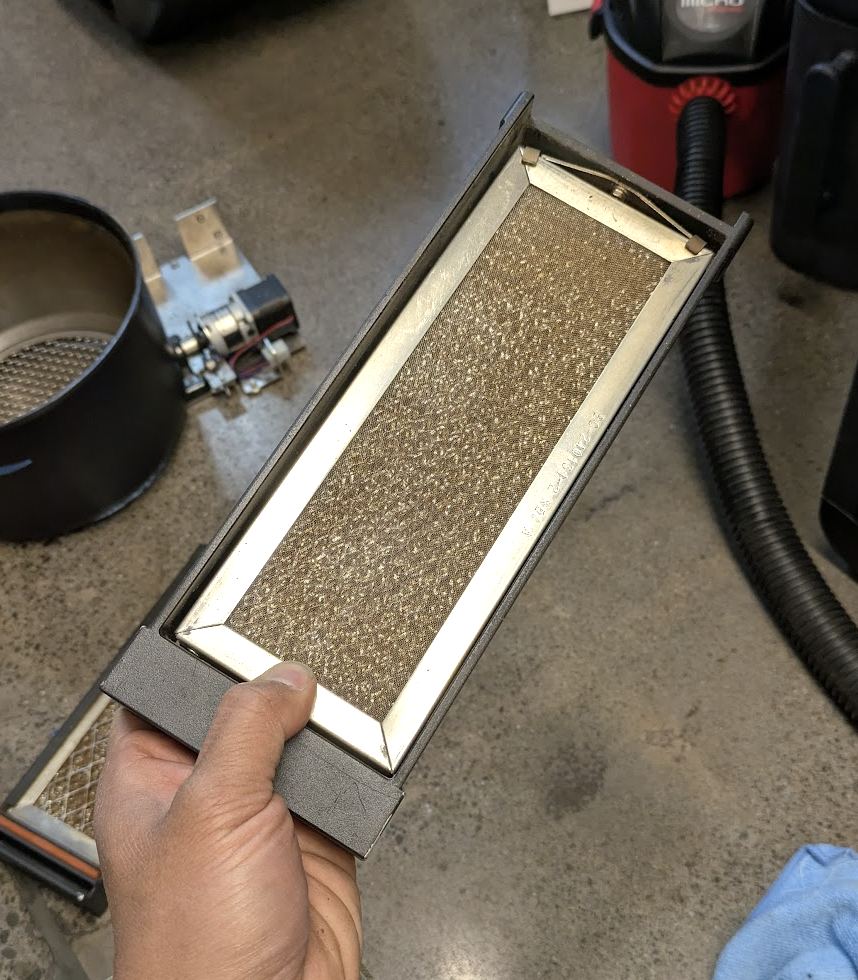
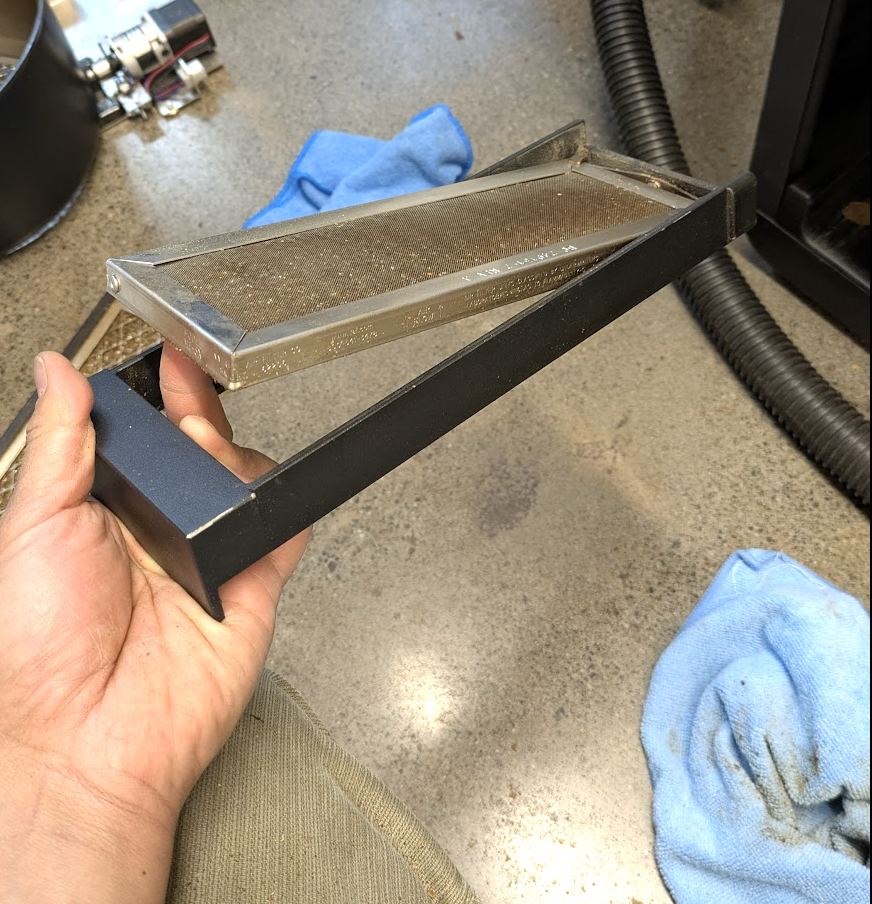
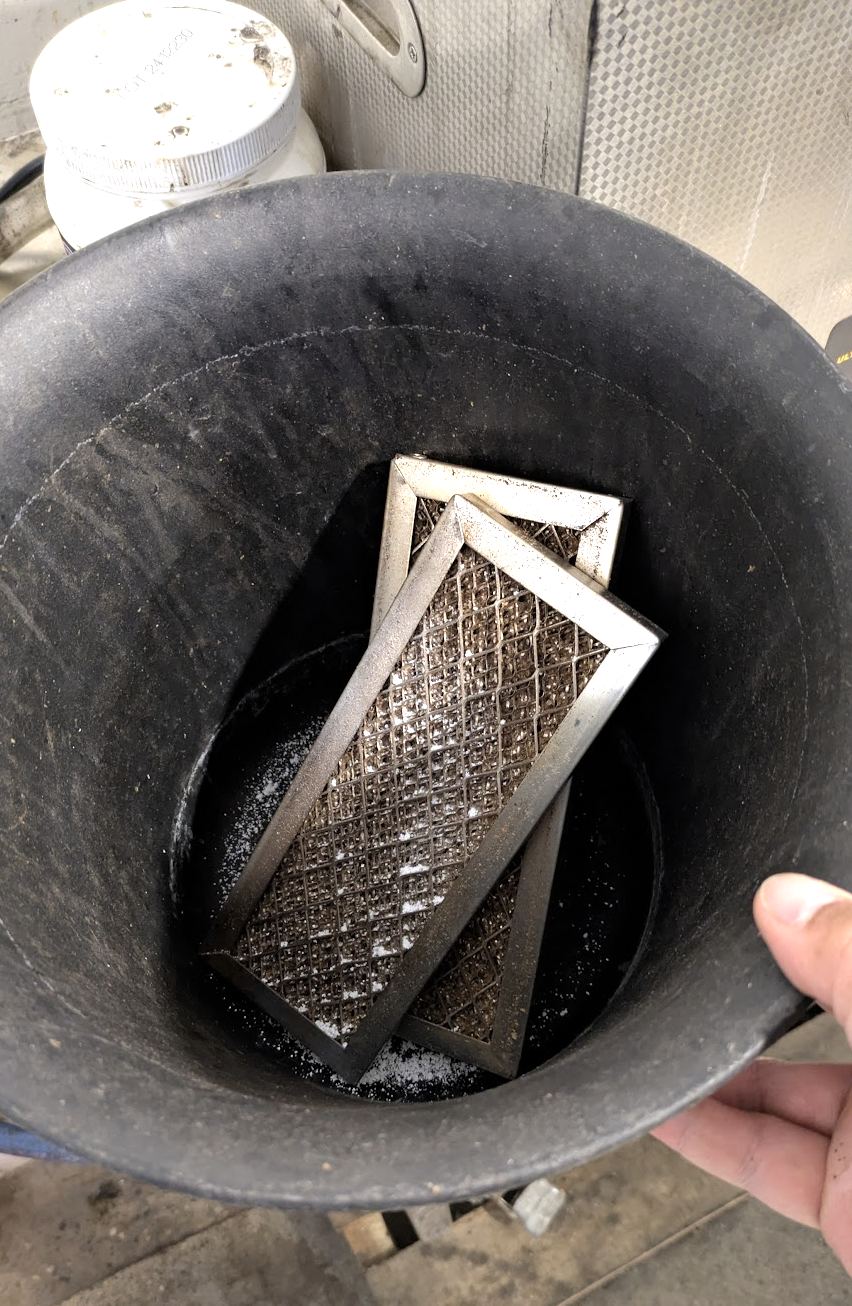
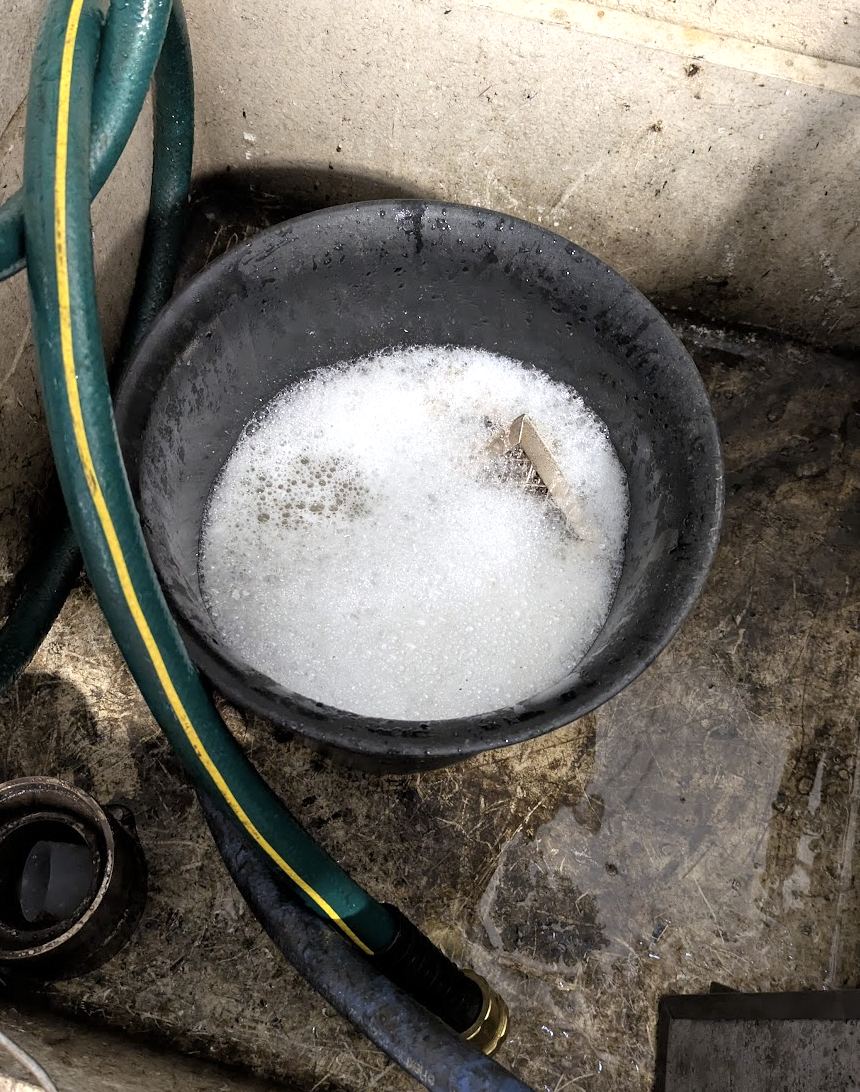
- Soak Prefilters in Coffee Cleaner >>> LINK <<<
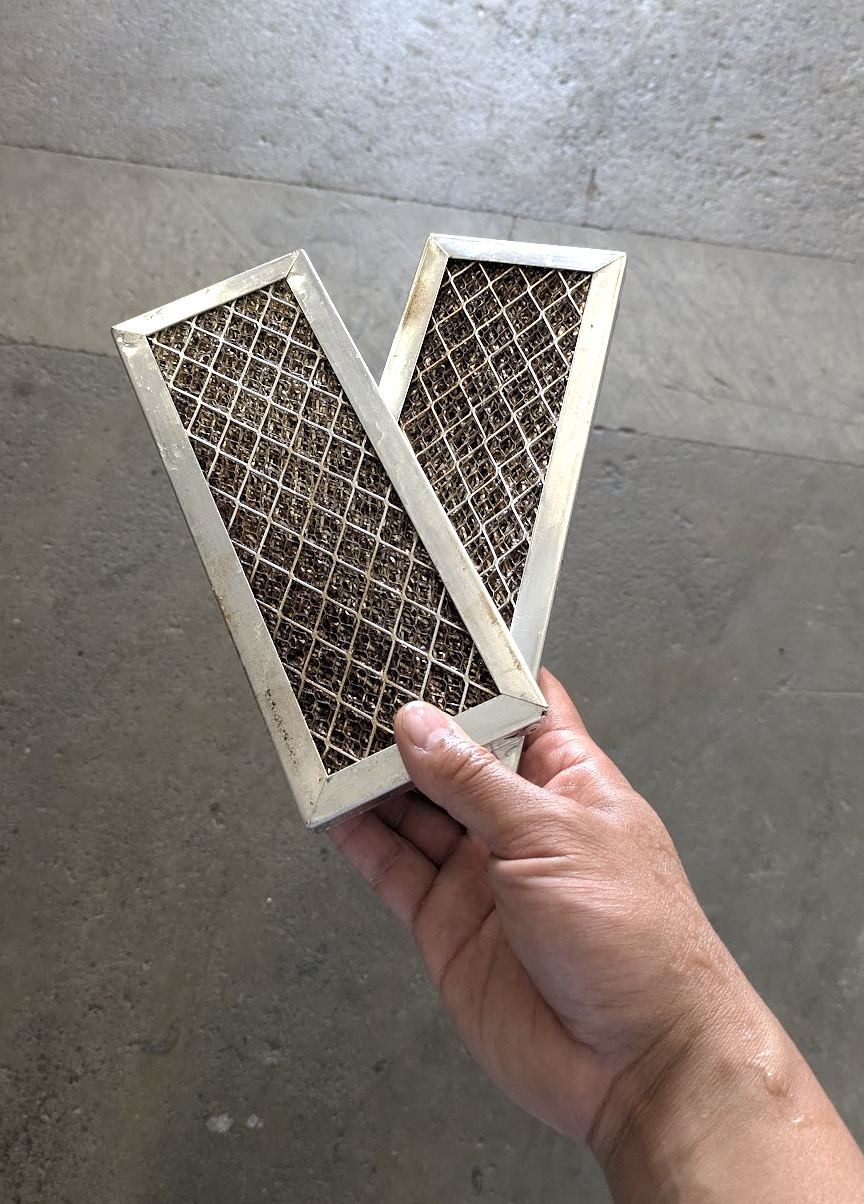
- Remove the two Prefilter mesh pieces from the bracket by pushing them upward on the side closest to the handles. Soak the two mesh pieces in a coffee cleaning solution (Cafiza, Joe Glo etc). Set aside to air dry. Once dry reassemble and then refit into roaster.
Source: Bellwether Coffee, original article. Reproduced for owners; © Bellwether Coffee Co.
Source: Bellwether Coffee, original article. Reproduced for owners; © Bellwether Coffee Co.
Source: Bellwether Coffee, original article. Reproduced for owners; © Bellwether Coffee Co.
Source: Bellwether Coffee, original article. Reproduced for owners; © Bellwether Coffee Co.
Source: Bellwether Coffee, original article. Reproduced for owners; © Bellwether Coffee Co.
Video: watch it on the original article (https://help.bellwethercoffee.com/shop-roaster-weekly-maintenance).
- Vacuum Above Cooling Tray
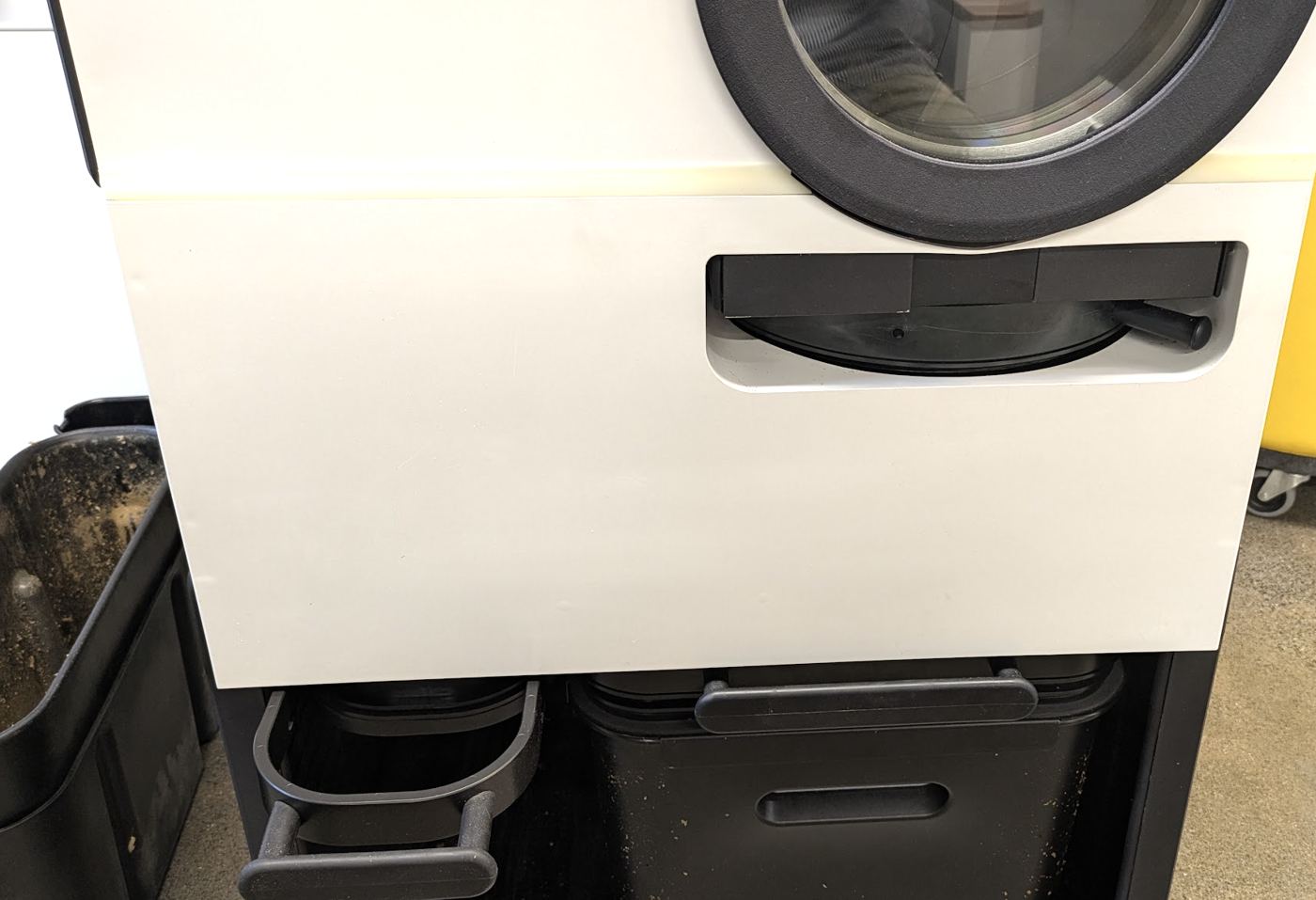
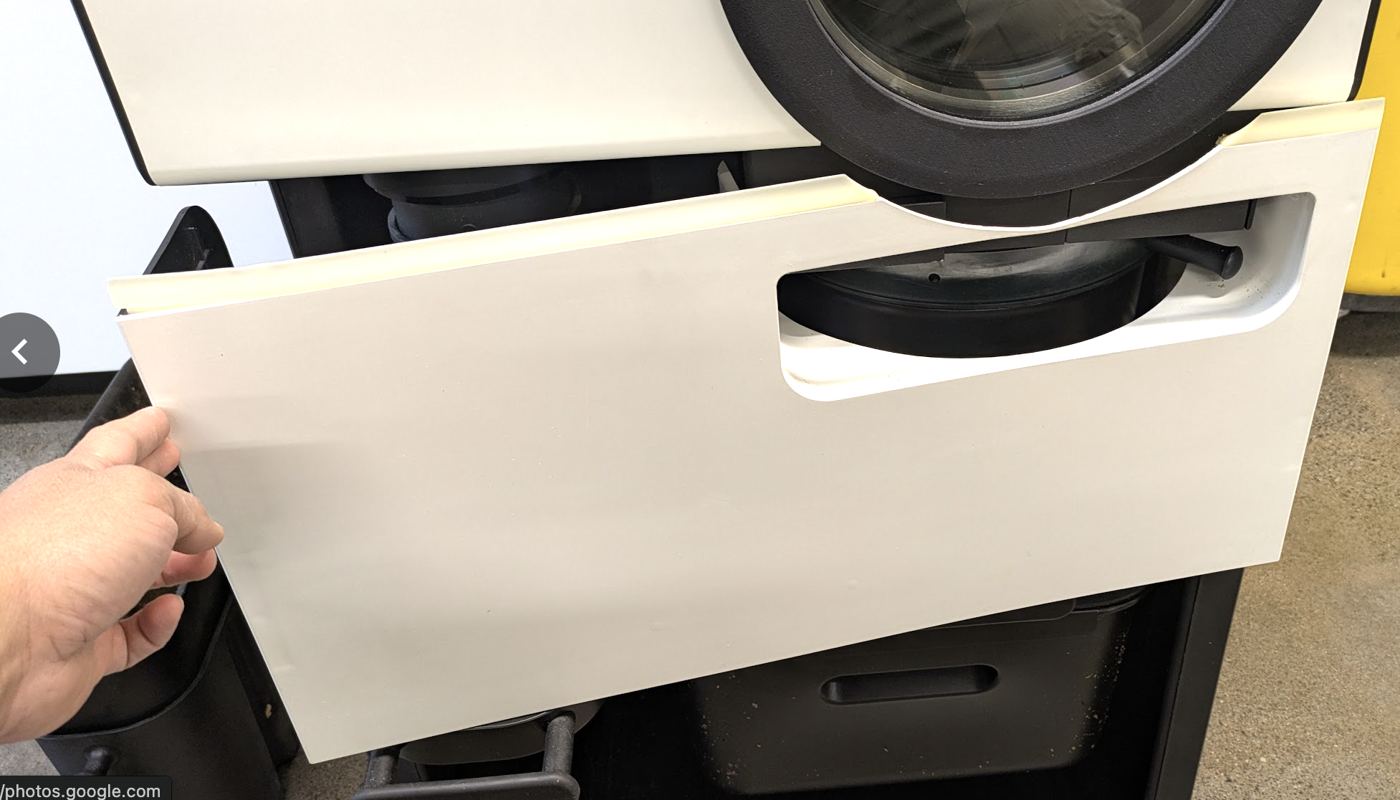
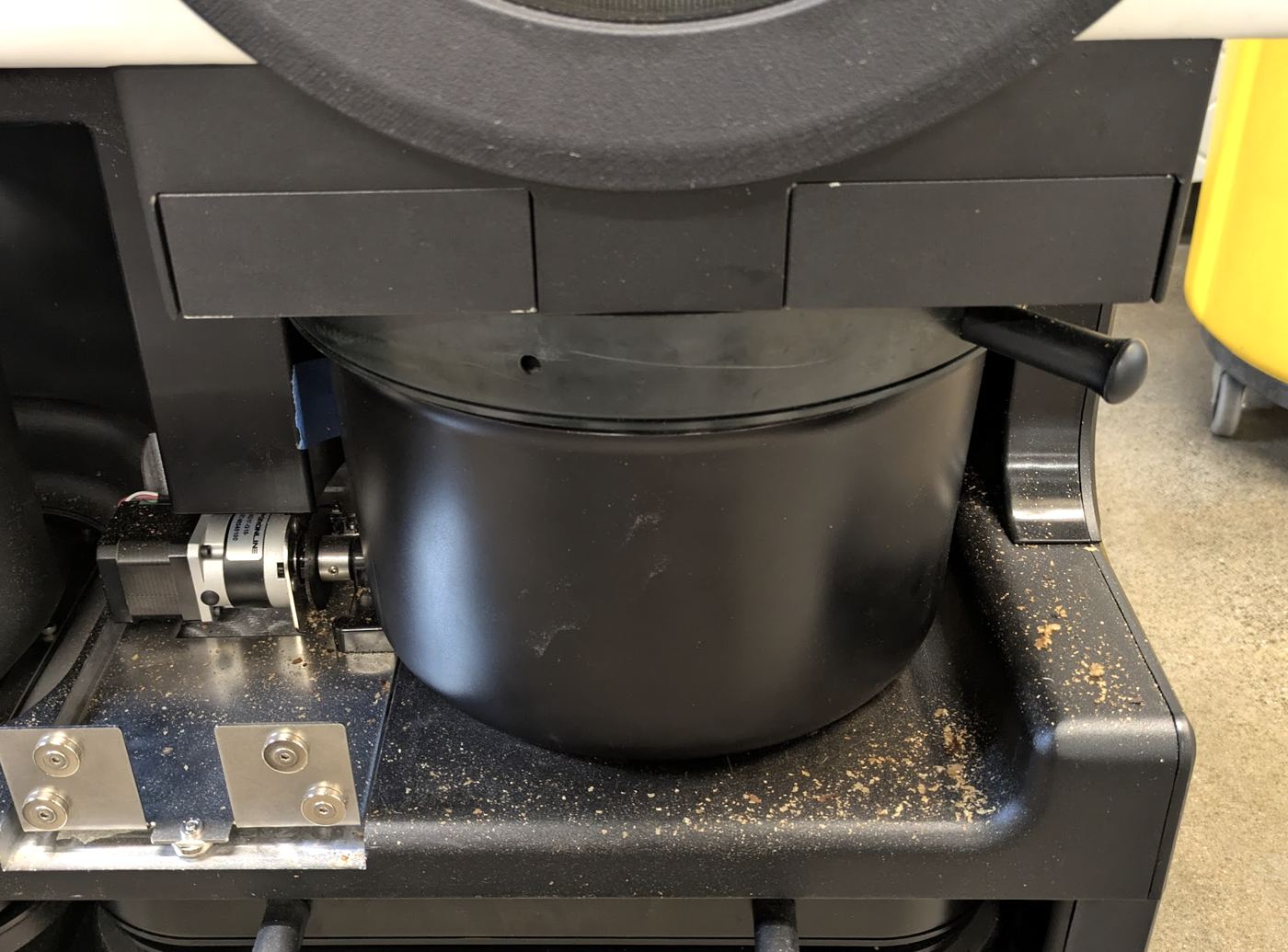
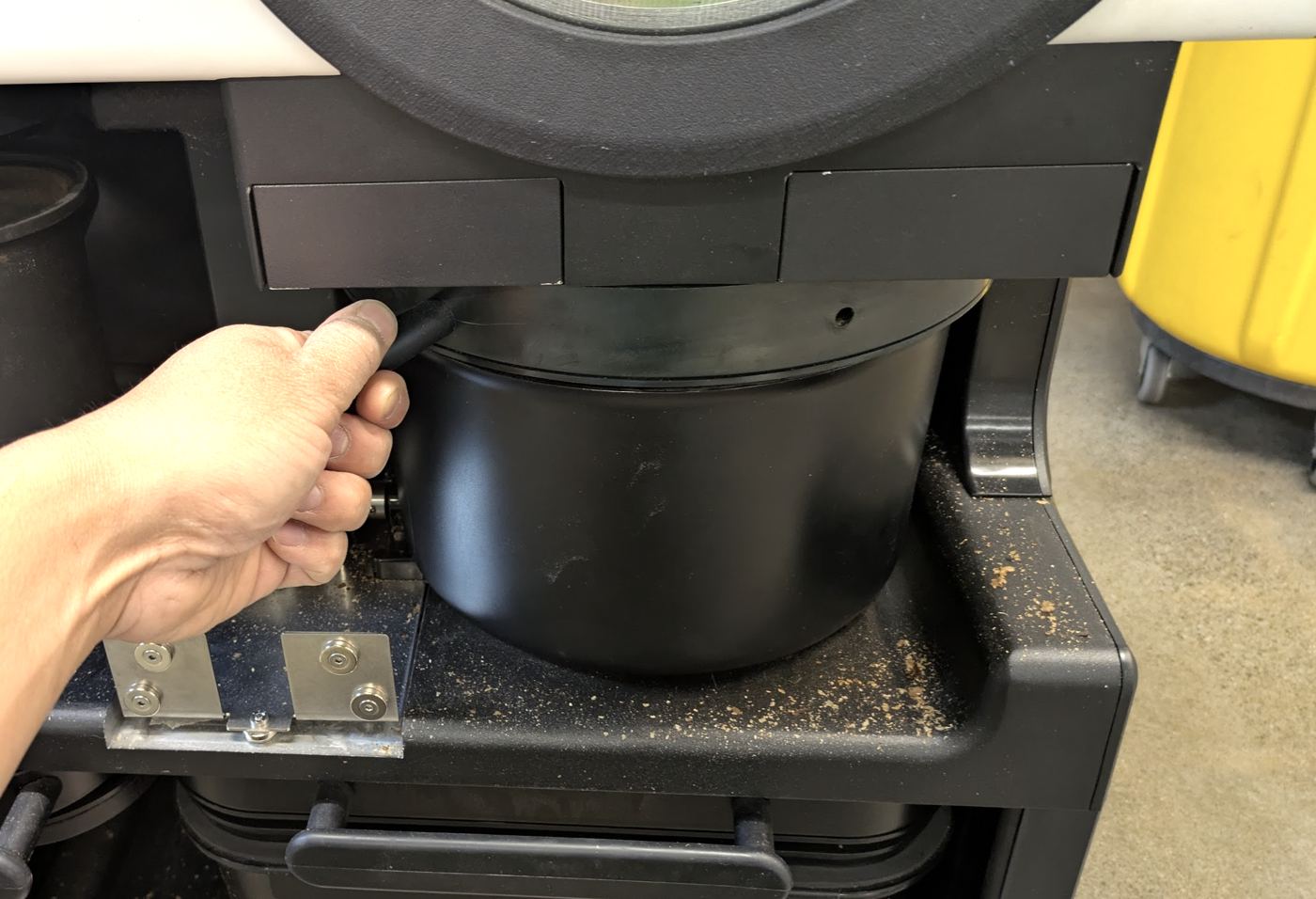
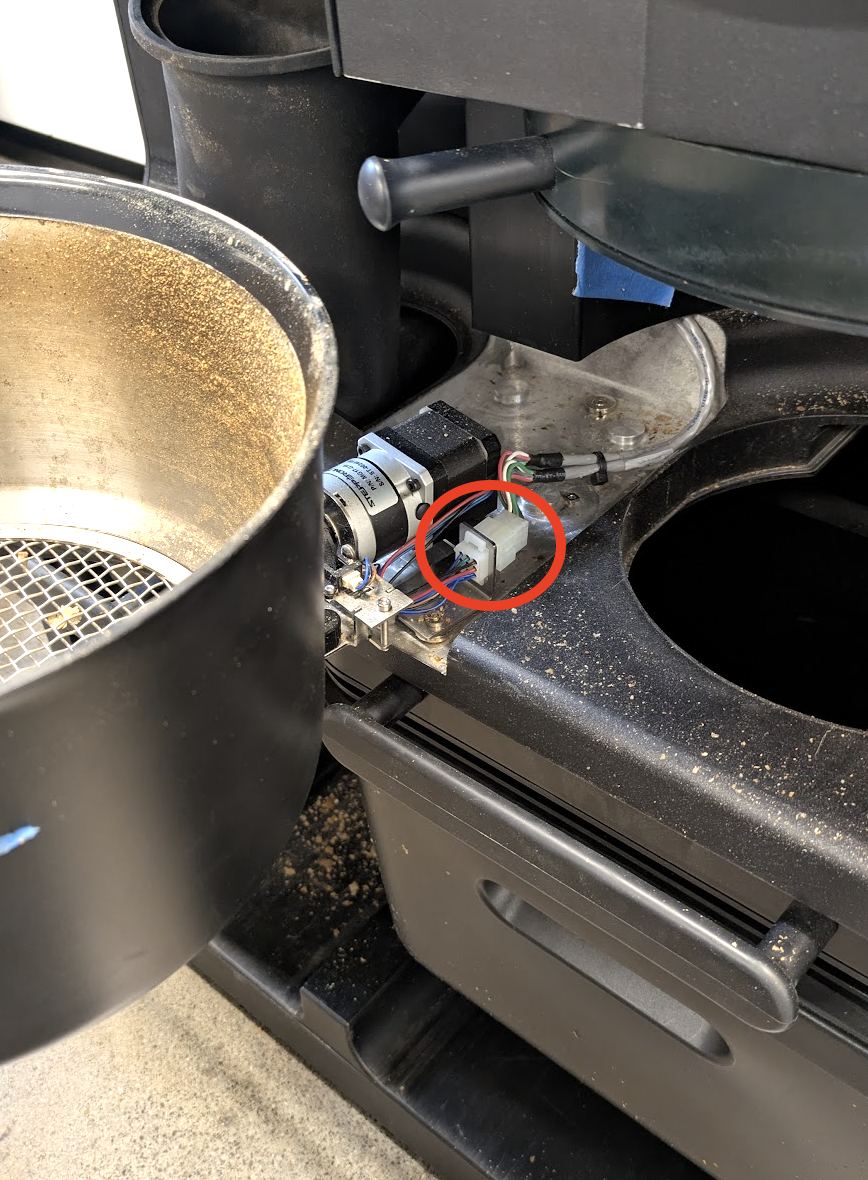
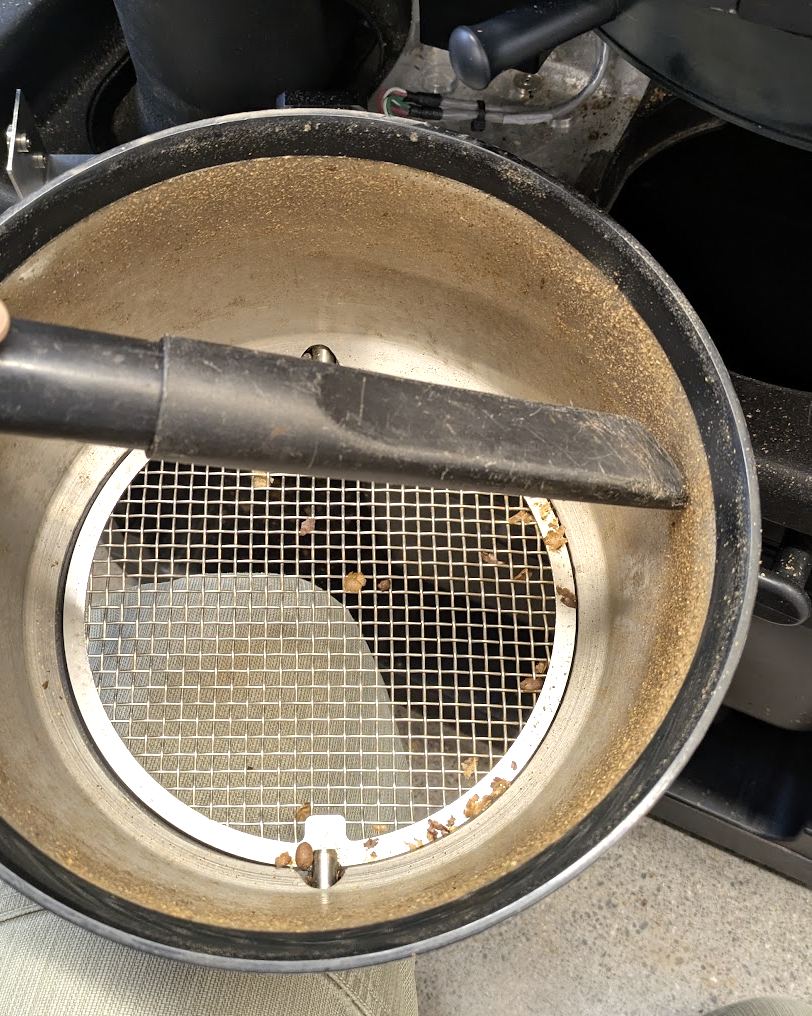
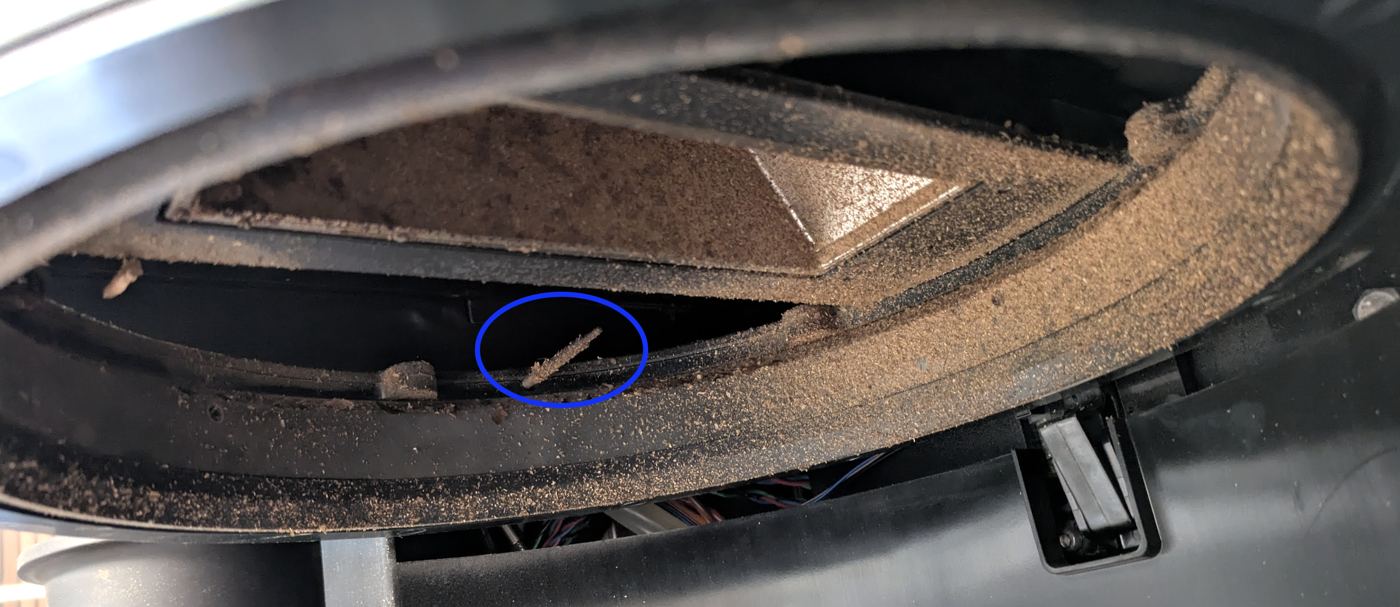
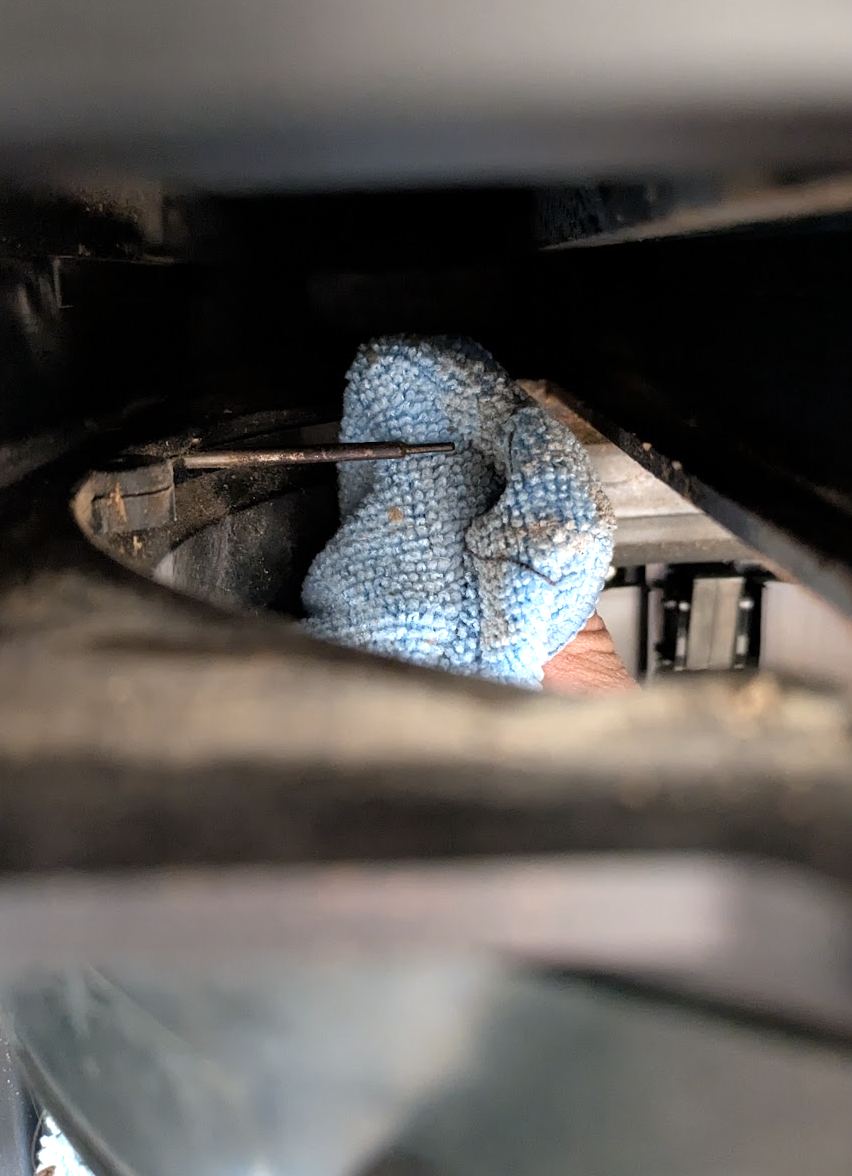
- If Countertop, simply release the Cooling Tray to remove. If Continuous Roasting, remove Valence to expose the Autobucket. Release the lock and gently disconnect the white connector circled below in red taking care not to tug on any of the wires. Remove the Prefilters from the machine if present. Vacuum the internal of the Cooling Tray or Autobucket and the area above where it usually sits inside of the machine. Take extreme caution not to damage the temperature probe circled in blue. You can wipe this probe down with a towel if necessary.
**
Source: Bellwether Coffee, original article. Reproduced for owners; © Bellwether Coffee Co.
Source: Bellwether Coffee, original article. Reproduced for owners; © Bellwether Coffee Co.
Source: Bellwether Coffee, original article. Reproduced for owners; © Bellwether Coffee Co.
Source: Bellwether Coffee, original article. Reproduced for owners; © Bellwether Coffee Co.
Source: Bellwether Coffee, original article. Reproduced for owners; © Bellwether Coffee Co.
Source: Bellwether Coffee, original article. Reproduced for owners; © Bellwether Coffee Co.
Source: Bellwether Coffee, original article. Reproduced for owners; © Bellwether Coffee Co.
Source: Bellwether Coffee, original article. Reproduced for owners; © Bellwether Coffee Co. **
Video: watch it on the original article (https://help.bellwethercoffee.com/shop-roaster-weekly-maintenance).
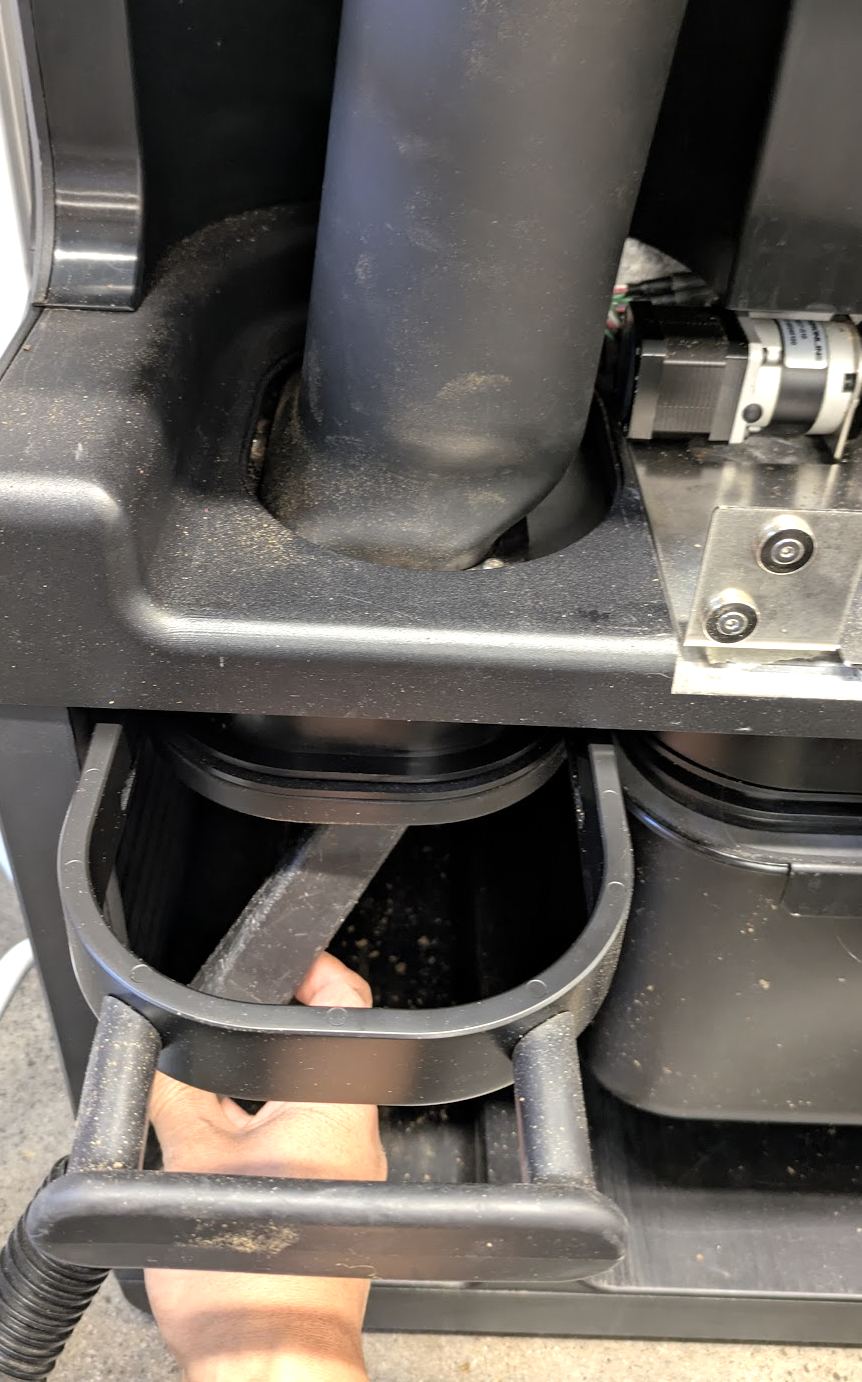
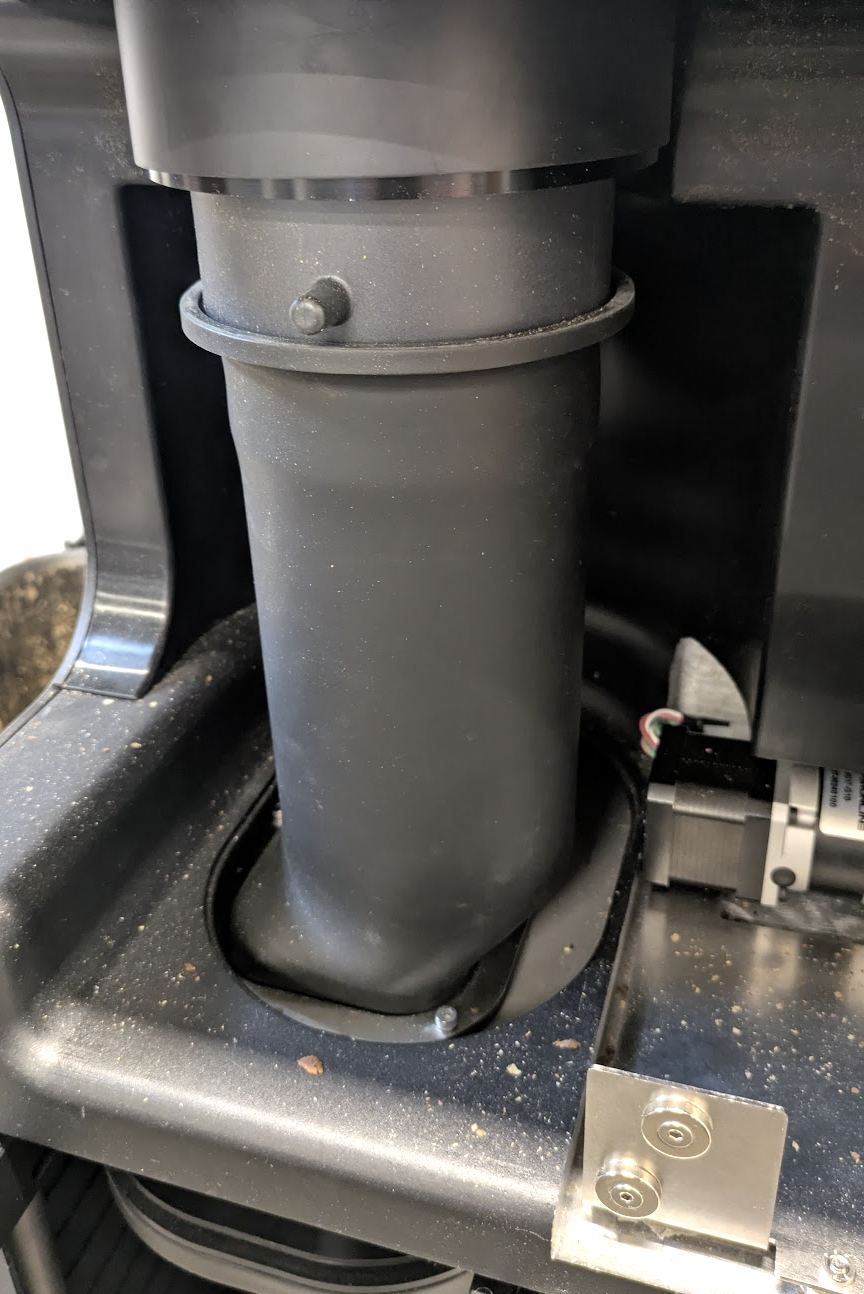
3. Vacuum Cyclone/Chaff Tube >>> LINK <<<
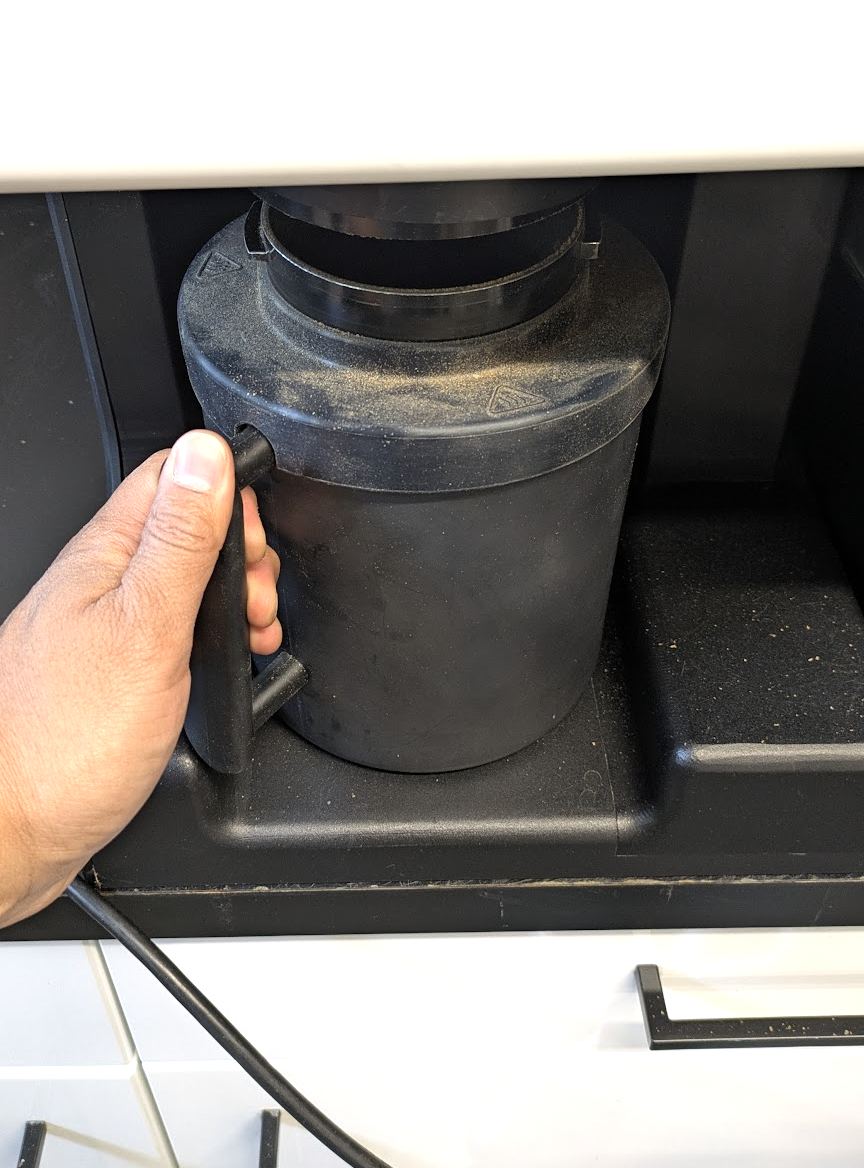
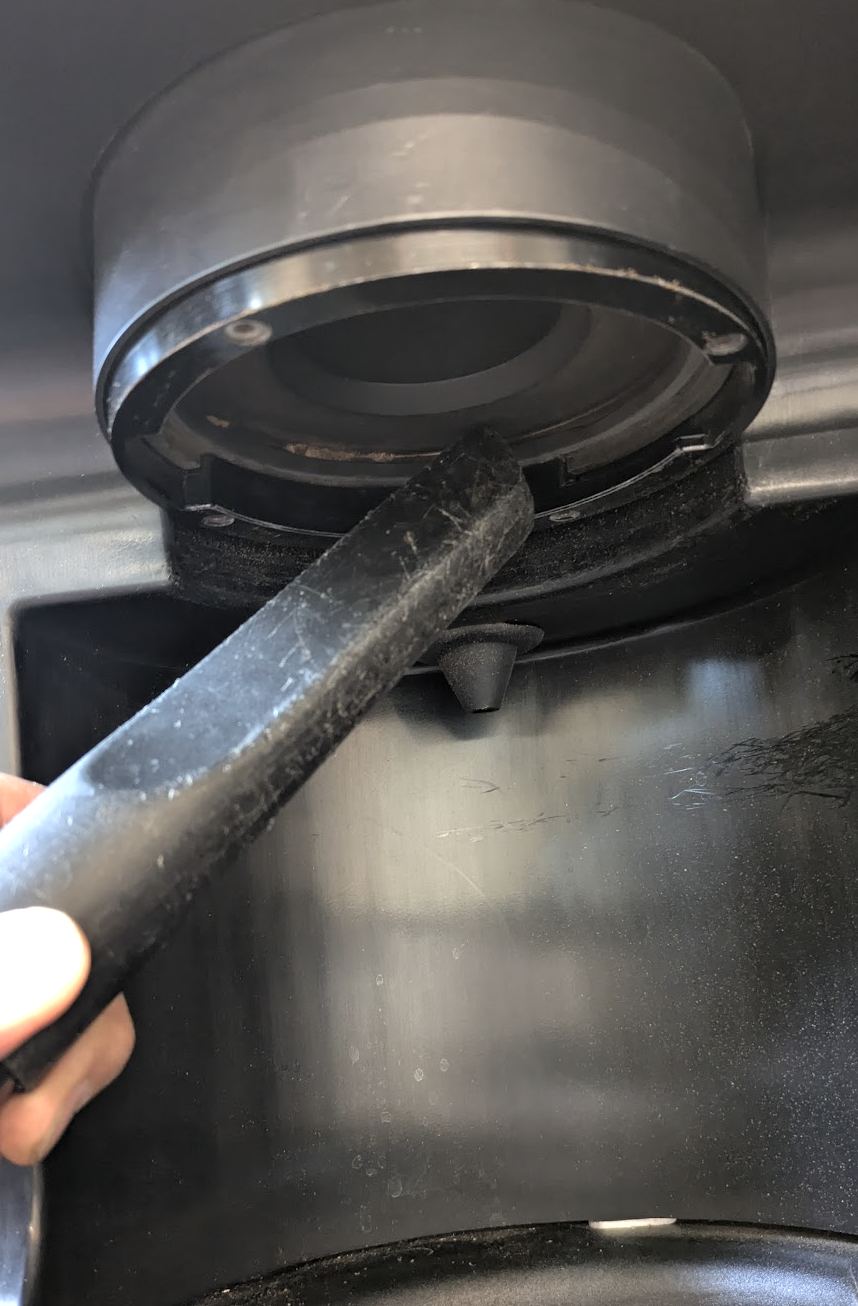
- If Countertop: Remove the chaff can and vacuum up into the chaff cyclone.
Source: Bellwether Coffee, original article. Reproduced for owners; © Bellwether Coffee Co.
Source: Bellwether Coffee, original article. Reproduced for owners; © Bellwether Coffee Co.
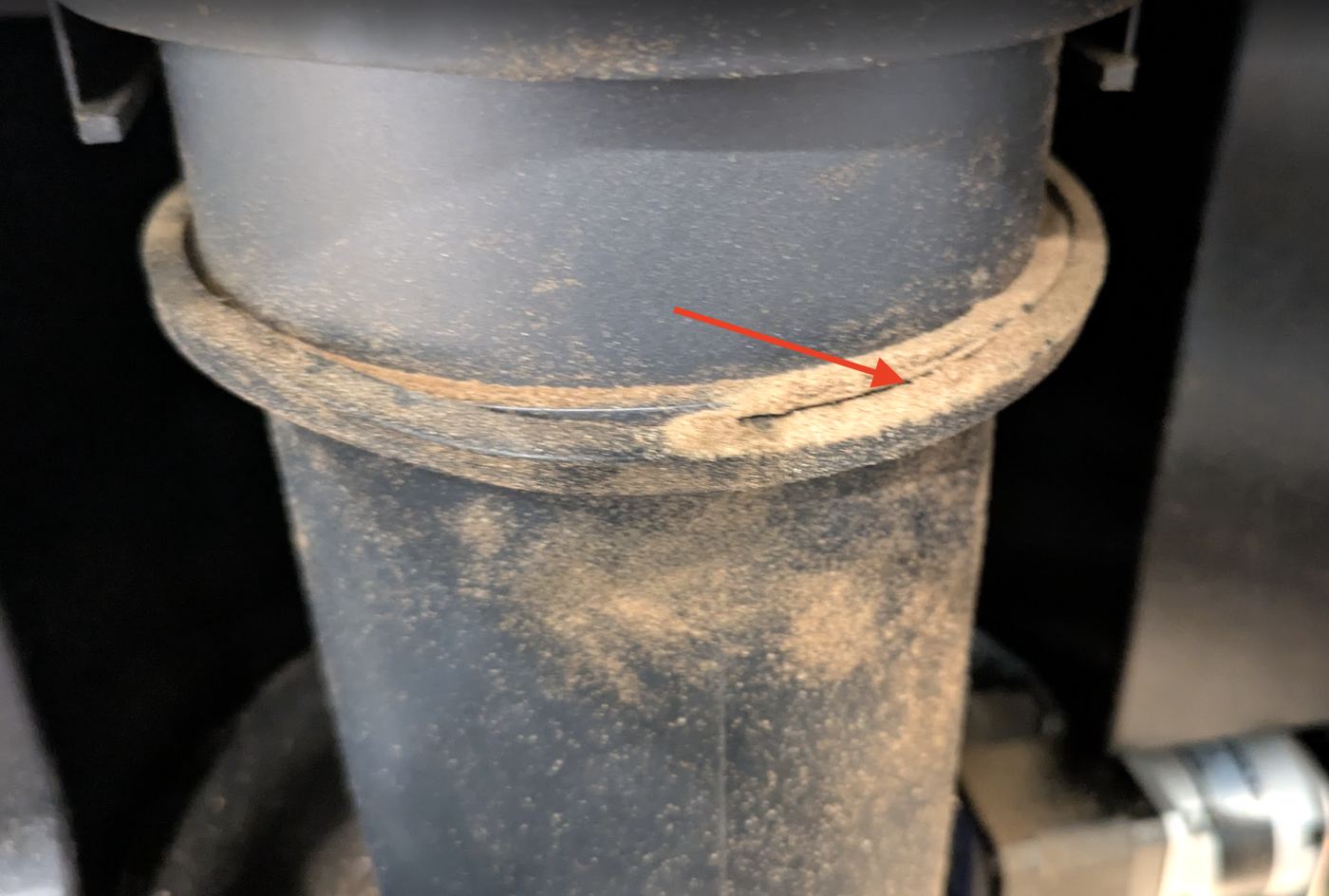
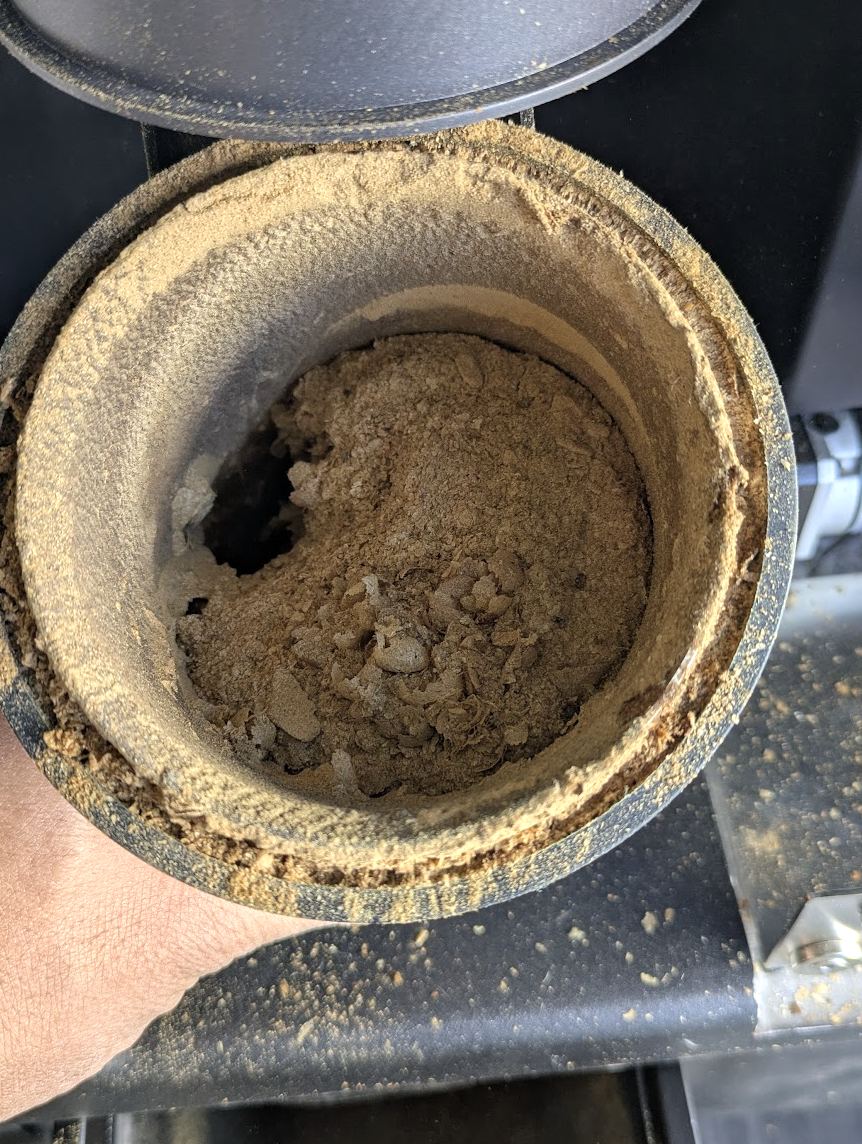
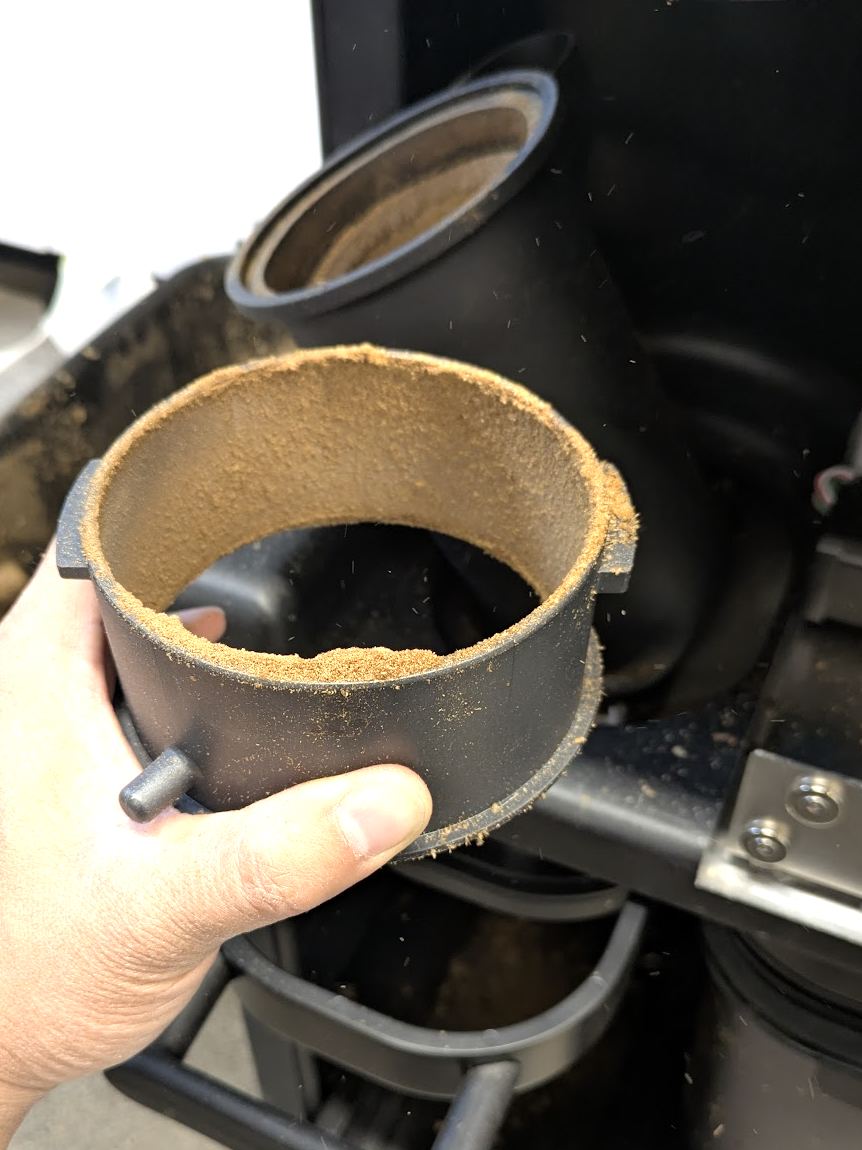
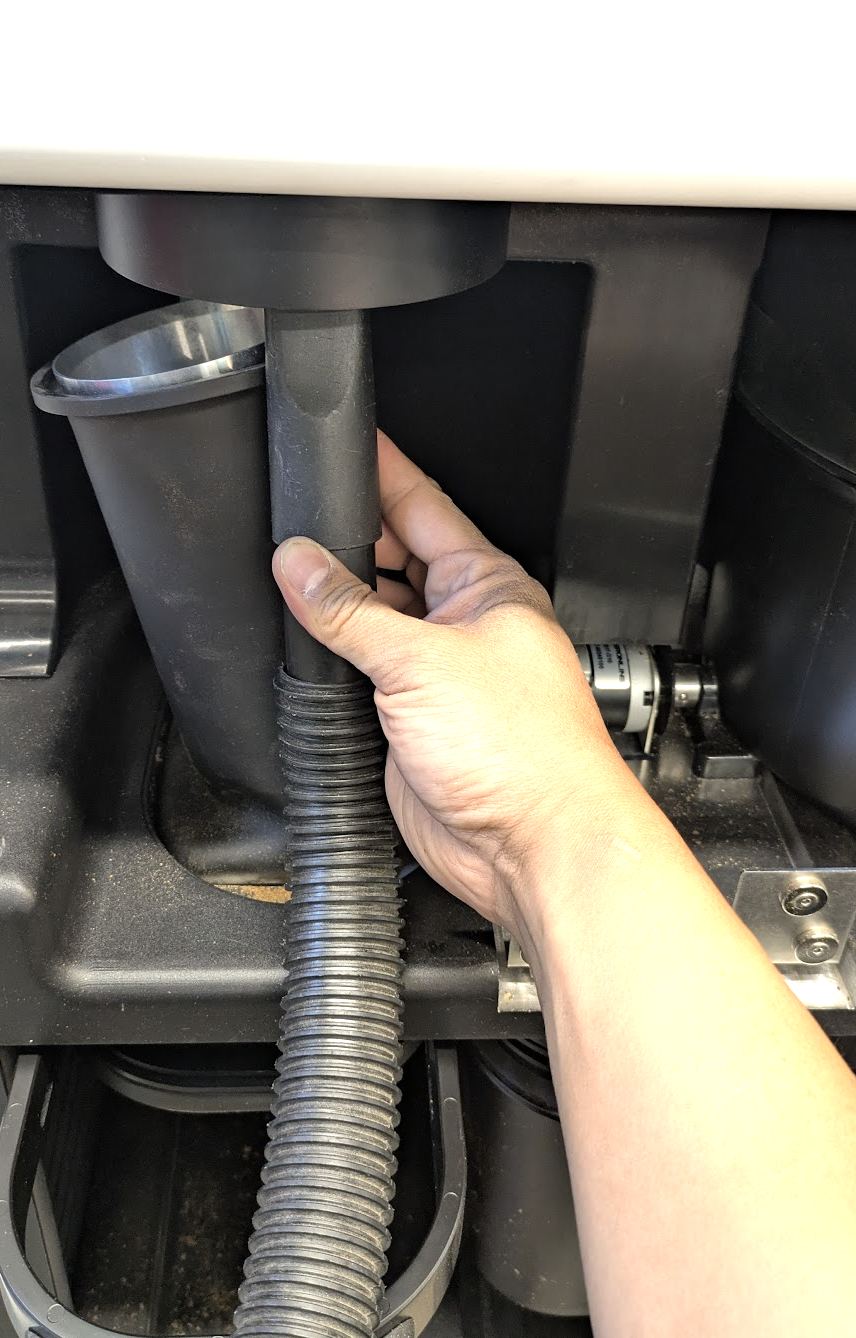
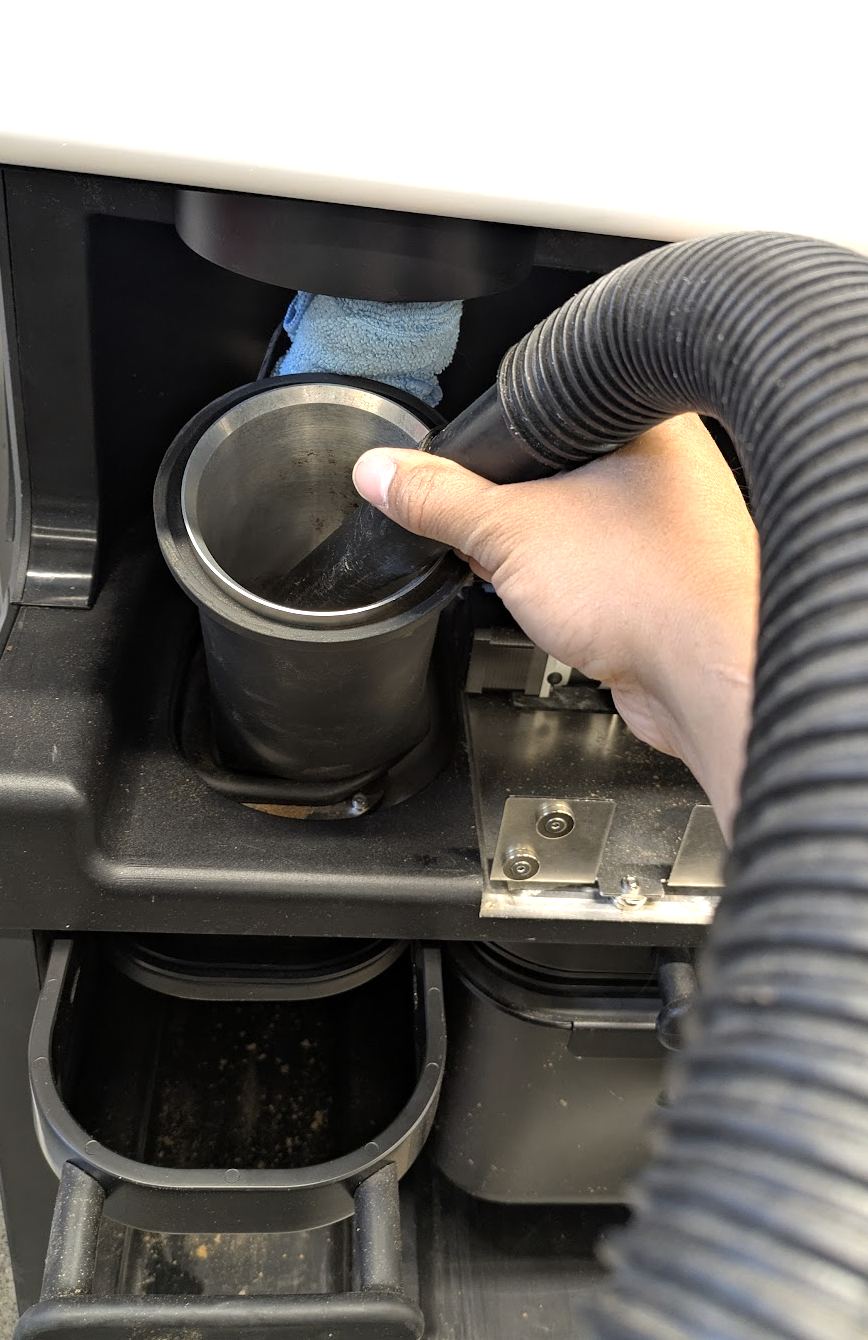
- If Continuous Roasting: Place a towel into the water collection cup to prevent chaff from entering into the tube. Disconnect the connecting ring by rotating to the left. Vacuum up from the bottom of the tube, the top of the tube, and into the bottom of the cyclone to remove all debris. Reassemble and make sure that there are no leaks. Important: When reinstalling the chaff collar and tube, make sure that the silicone is totally secured and the collar is tight so no air leaks are present.
Source: Bellwether Coffee, original article. Reproduced for owners; © Bellwether Coffee Co.
Source: Bellwether Coffee, original article. Reproduced for owners; © Bellwether Coffee Co.
Source: Bellwether Coffee, original article. Reproduced for owners; © Bellwether Coffee Co.
Source: Bellwether Coffee, original article. Reproduced for owners; © Bellwether Coffee Co.
Source: Bellwether Coffee, original article. Reproduced for owners; © Bellwether Coffee Co.
Source: Bellwether Coffee, original article. Reproduced for owners; © Bellwether Coffee Co.
Source: Bellwether Coffee, original article. Reproduced for owners; © Bellwether Coffee Co.
Video: watch it on the original article (https://help.bellwethercoffee.com/shop-roaster-weekly-maintenance).
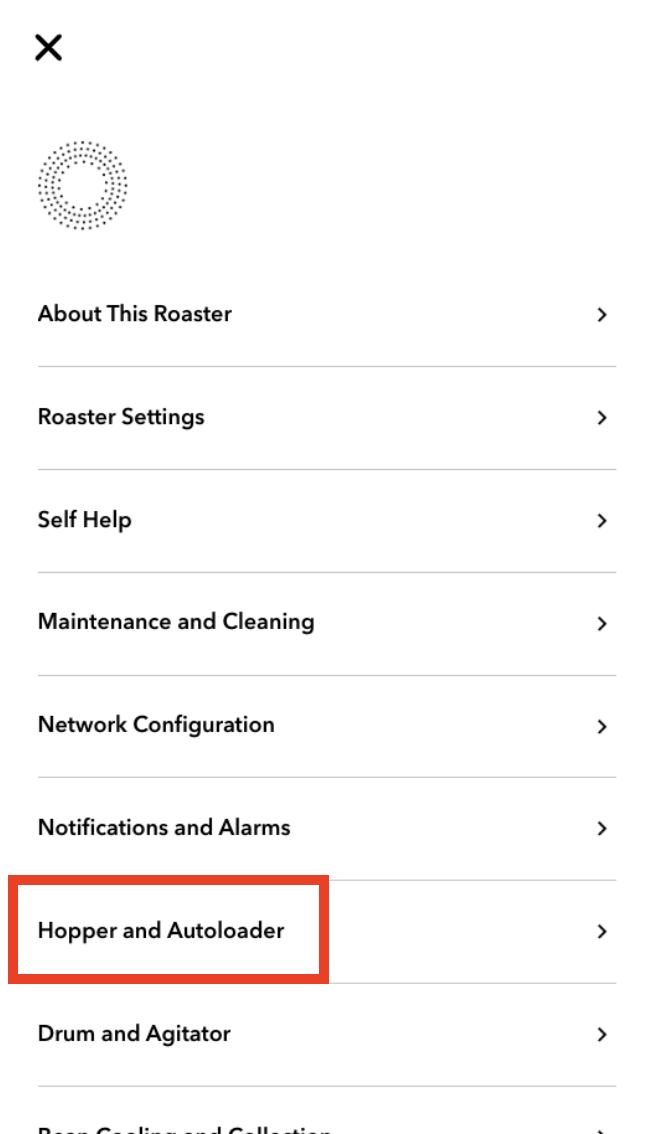
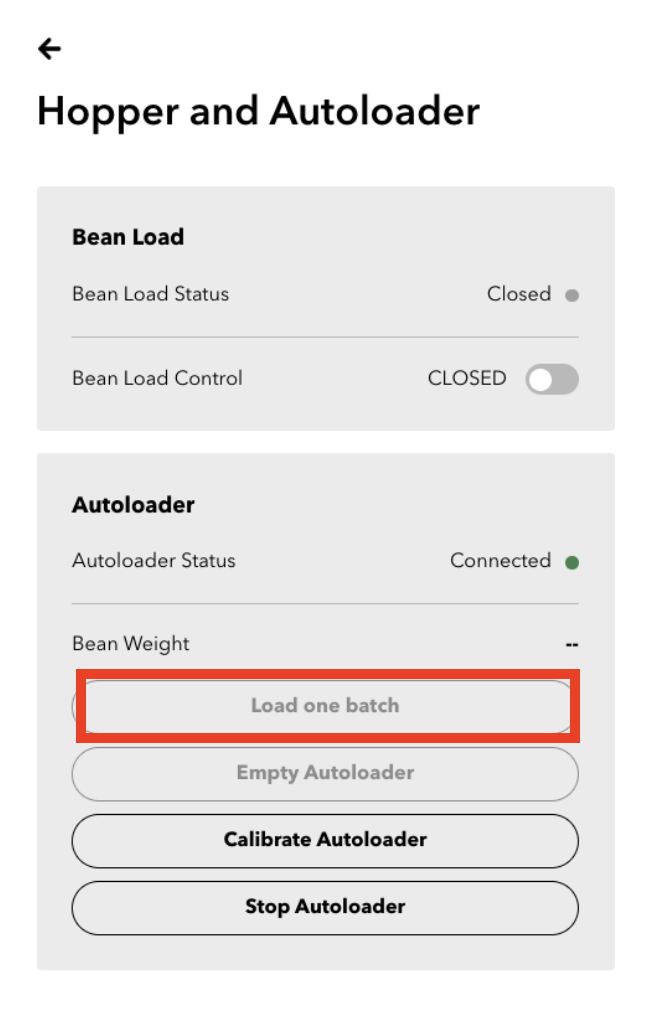
4. Test Autoloader Dosing (Continuous Roasting Only)>>> LINK <<<
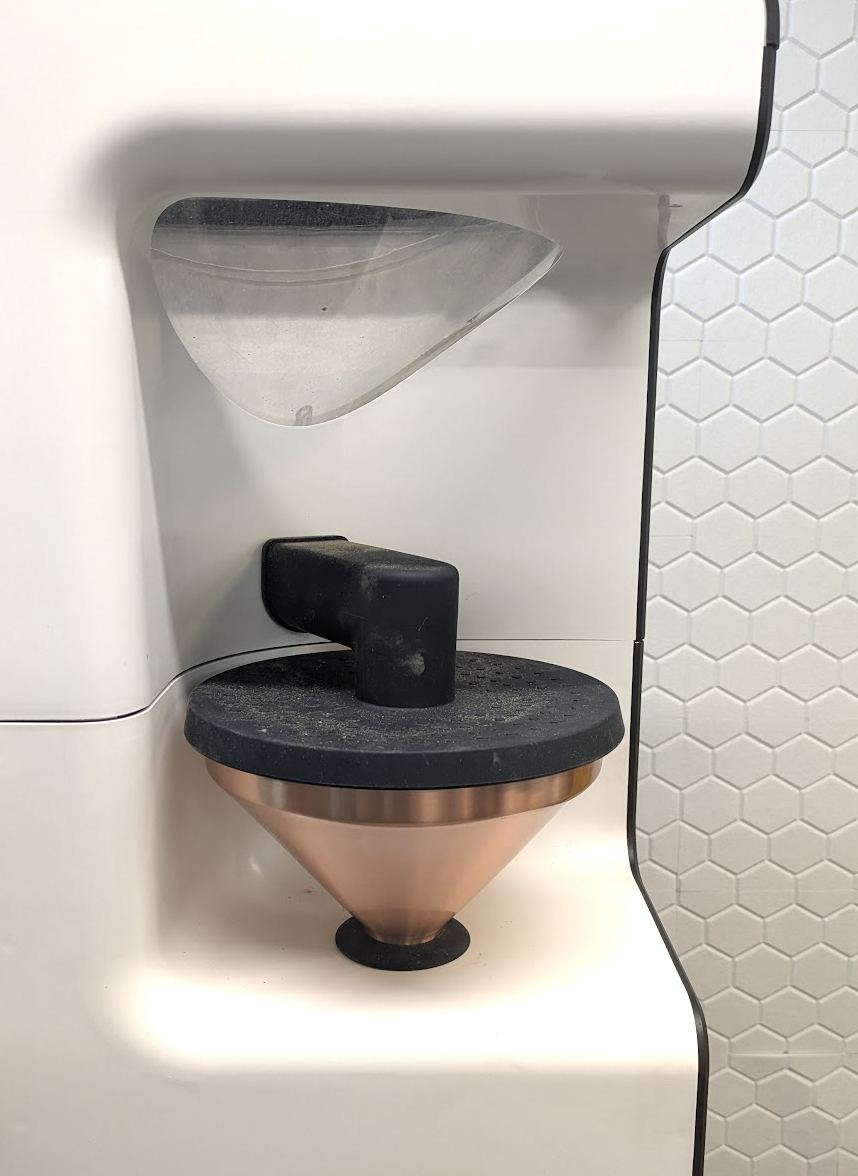
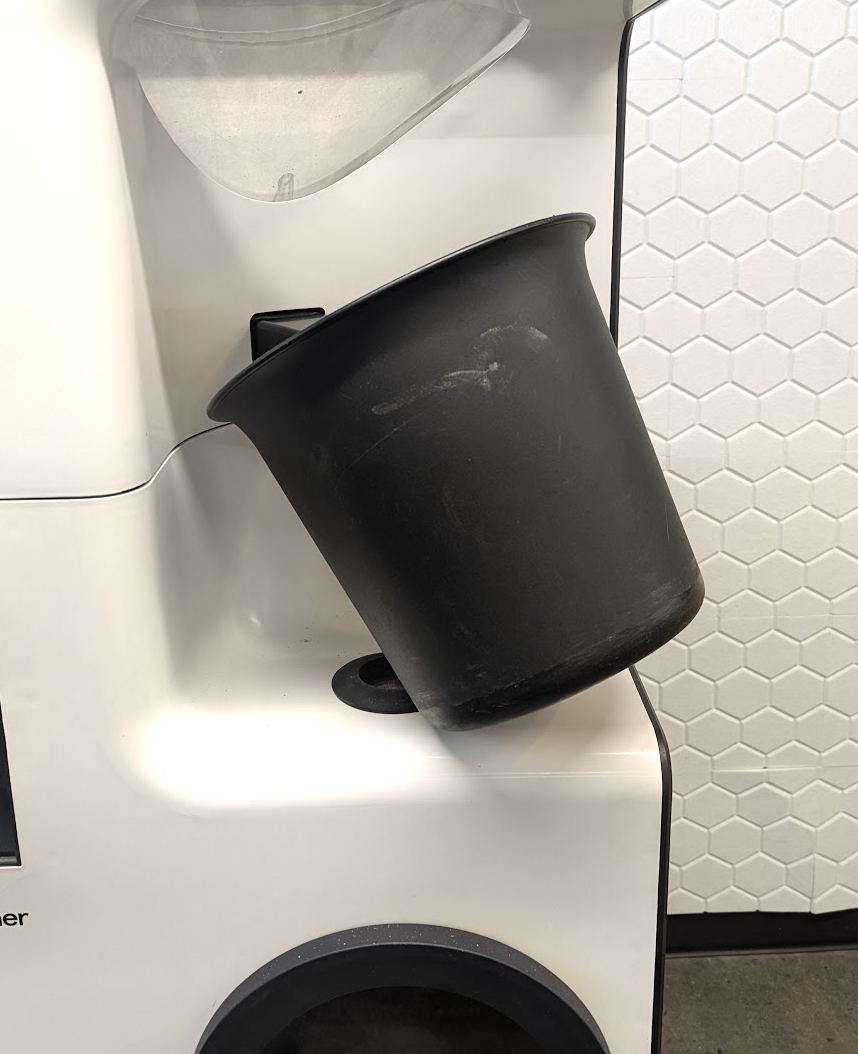
- Enter the Tech Panel (PIN is 4377). Replace the copper Hopper with a bucket to catch the beans dispensed from the Autoloader. Use the button to “Load One Batch” and weigh the output. If there is a deviation over or under the desired batch size of 1.5kg (1500g), follow the guide for Autoload inspection and recalibration (LINK).
Source: Bellwether Coffee, original article. Reproduced for owners; © Bellwether Coffee Co.
Source: Bellwether Coffee, original article. Reproduced for owners; © Bellwether Coffee Co.
Source: Bellwether Coffee, original article. Reproduced for owners; © Bellwether Coffee Co.
Source: Bellwether Coffee, original article. Reproduced for owners; © Bellwether Coffee Co.
Video: watch it on the original article (https://help.bellwethercoffee.com/shop-roaster-weekly-maintenance).